Everything you need to know to play Battle Range on Mac, iPad and Apple TV: getting started, the controls, each mode's rules, building barricades, and what's on the screen.
Getting started
- Connect a controller. On iPad and Apple TV a game controller is required: touch works in the menus, but not for playing, and the Siri Remote can't play the game. On Apple TV, pair a controller in Settings › Remotes and Devices › Bluetooth, and turn on your TV's game mode for the lowest lag. On a Mac you can use a keyboard and mouse or a controller.
- Play Now. On first launch choose Play Now to play straight away as a guest, or Sign In with Email if you already have an account.
- Choose a gamertag. It's shown on the public leaderboards. Choose Suggest a name for ideas, or Skip for now to play as "Recruit" with a number until you pick one.
- Pick a mode. From the main menu, Practice opens the map selection for Target Arena, Target Adventure, High Rise and Bot Village. Village Siege has its own entry.
On-screen button hints switch between keyboard and controller automatically, depending on what you used last. To show Xbox or PlayStation button icons, use Settings › Controls › Button Icons.
Controls
| Action | Xbox controller | PlayStation controller | Keyboard and mouse (Mac) |
|---|---|---|---|
| Move | Left stick | Left stick | W A S D or the arrow keys |
| Look | Right stick | Right stick | Mouse |
| Jump | A | ✕ (Cross) | Space |
| Sprint (hold) | LS (click the left stick) | L3 (click the left stick) | Left Shift |
| Crouch (on/off) | RS (click the right stick) | R3 (click the right stick) | C |
| Slide | RS while sprinting | R3 while sprinting | C while holding Shift |
| Aim down sights (hold) | LT | L2 | Right mouse button |
| Fire | RT | R2 | Left mouse button |
| Reload | X | □ (Square) | R |
| Barricade: start or cancel placing | Y | △ (Triangle) | Q |
| Barricade: place | RT | R2 | Left mouse button |
| Use the lift (High Rise) | X | □ (Square) | E |
| Pause | Menu (☰) | Options | Esc |
- Firing is one shot per trigger pull. Holding the trigger doesn't keep firing.
- Reloading happens automatically when the magazine is empty; press reload to top up early. The rifle holds 24 rounds, and ammo is unlimited.
- Sliding: sprint, then press crouch. You slide a few metres and end up crouched; press crouch again to stand.
- Climbing (Target Adventure): walk up to a ledge, hold forward and press jump. You can't climb while sprinting.
- Aim assist helps controller players: the aim slows over a target and pulls gently towards its body, never its head, and never towards a hostage.
- Controls can't be remapped.
In the menus
| Action | Xbox controller | PlayStation controller | Keyboard and mouse |
|---|---|---|---|
| Choose / confirm | A | ✕ (Cross) | Enter, or click |
| Back | B | ○ (Circle) | Esc |
| Open the leaderboard (map selection) | Y | △ (Triangle) | T |
| Page through the leaderboard | LB / RB | L1 / R1 | Page Up / Page Down, or the mouse wheel |
| Switch Settings tabs | LB / RB | L1 / R1 | Tab / Shift-Tab |
| Change a setting | D-pad or left stick left and right | D-pad or left stick left and right | Left and right arrows |
On iPad you can also tap your way through the menus.
Modes
Every practice run starts with GET READY and a 3-2-1 countdown, then GO. At the end, the results screen shows how you did, with Play Again and Back.
Target Arena
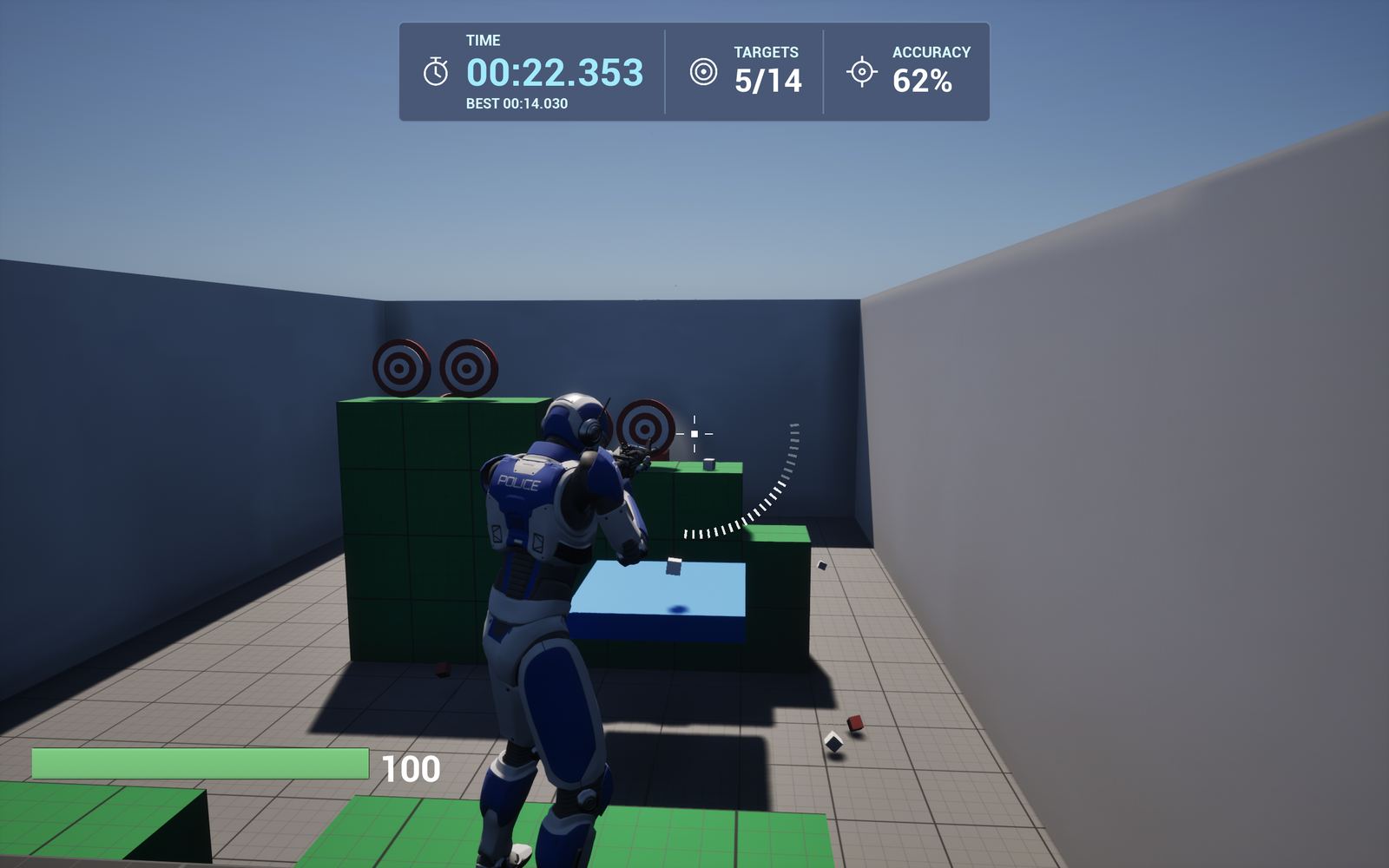
Shoot all 14 targets as fast as you can. Nothing here can hurt you.
- Thirteen targets are red and white; one is blue. The blue one is the final target: clear all the others first, then shoot it to finish.
- Shoot the blue target early and the run fails.
- You have 60 seconds.
Target Adventure
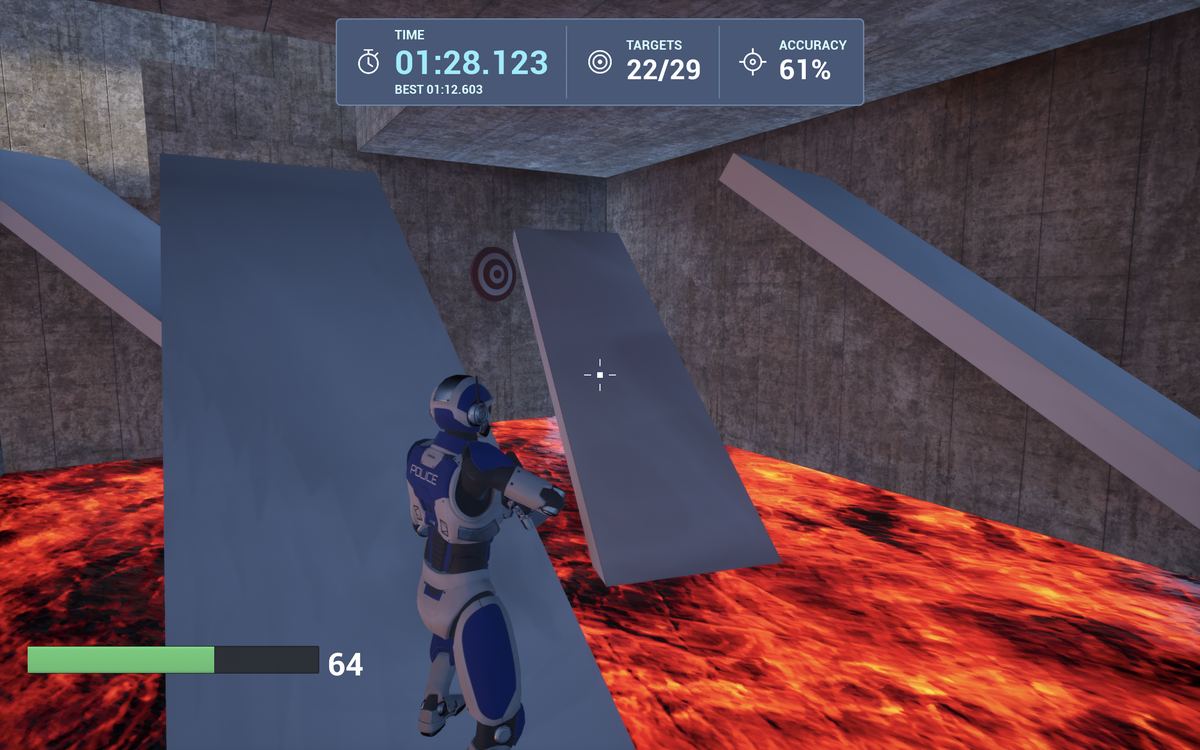
The same shooting on a course: 26 targets, with moving platforms, jump pads, a lift, a ferry and ledges to climb. The blue final target waits at the end.
- Lava drains your health. If it runs out, you go back to your last safe spot with full health and 5 seconds added to your time.
- You have five minutes.
High Rise
Fight your way up a tower held by robots, against the clock, without hitting the hostages.
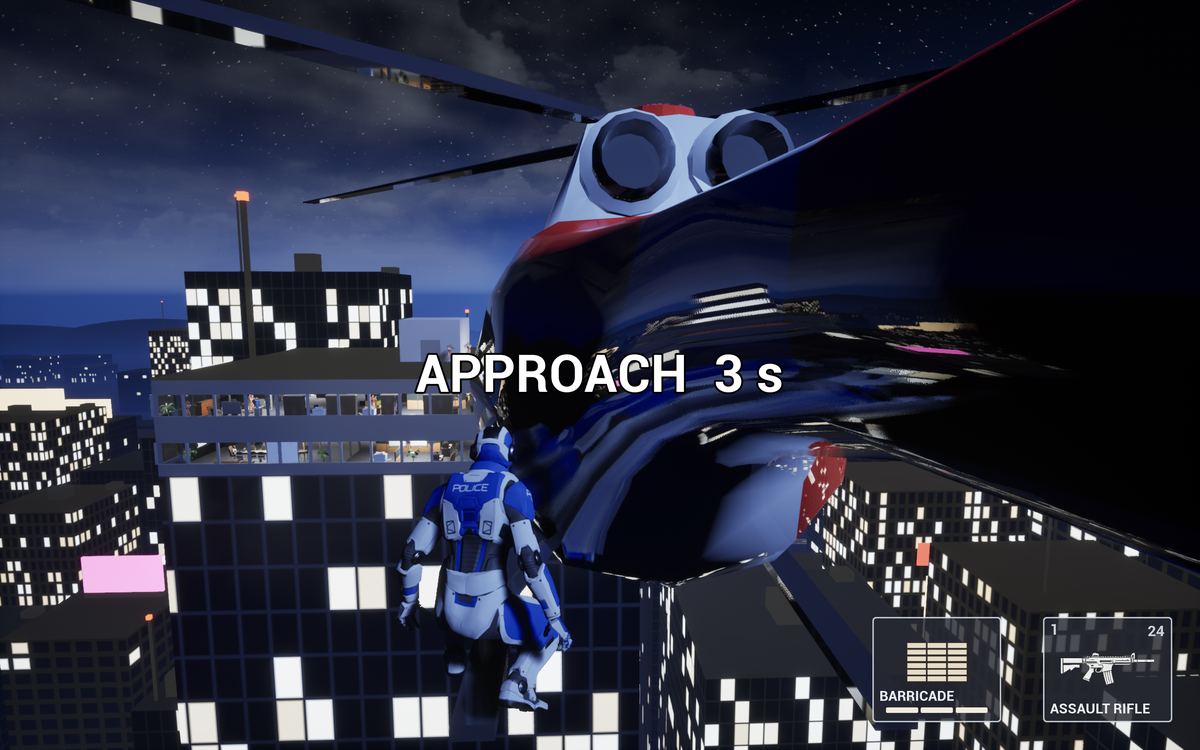
- You arrive by helicopter. When JUMP appears, press jump to zipline in through the window. Miss it and the run fails.
- The clock starts when you land. Clear the floor, then take the lift up: it only works once the floor is clear. After two floors, fight your way onto the roof, clear it, and get to the helicopter to finish.
- Each hostage you hit adds 10 seconds. Hit three and the run fails. The fast route and the clean route aren't always the same.
- You have five minutes, with a warning when 30 seconds are left.
Bot Village
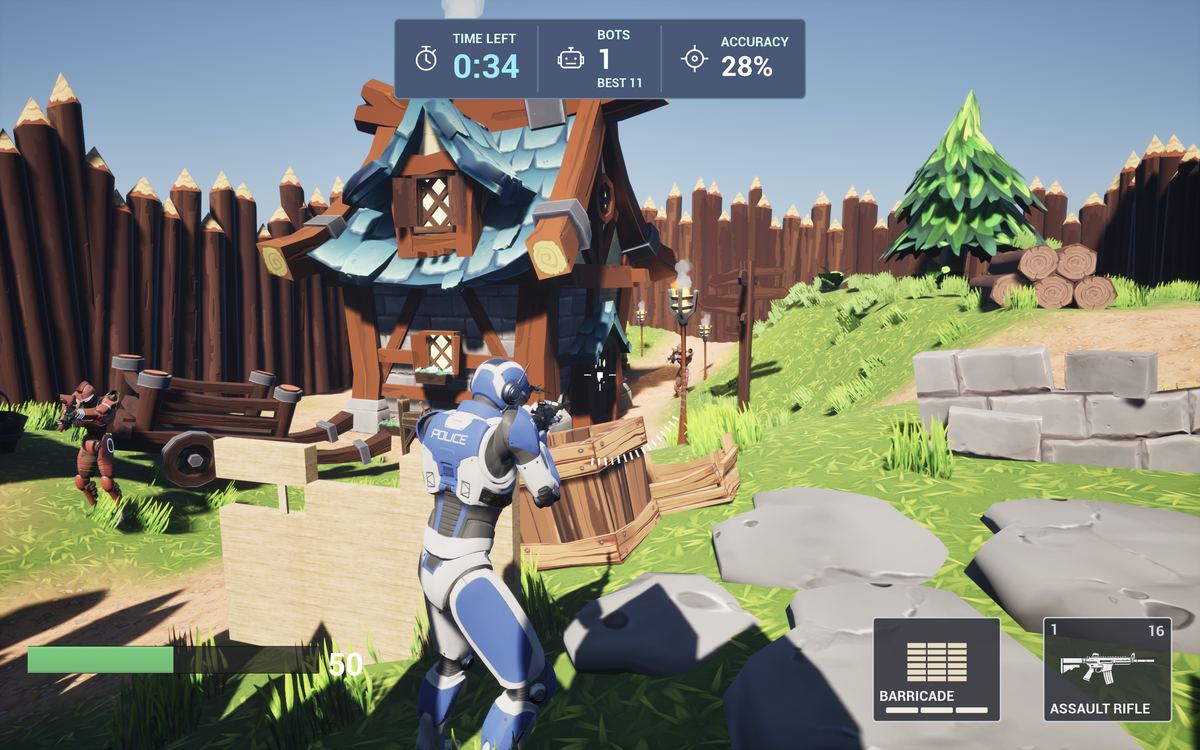
Sixty seconds in a village full of patrolling bots, with more arriving all the time. Survive the round and eliminate as many as you can. If you're eliminated, the run fails.
Village Siege
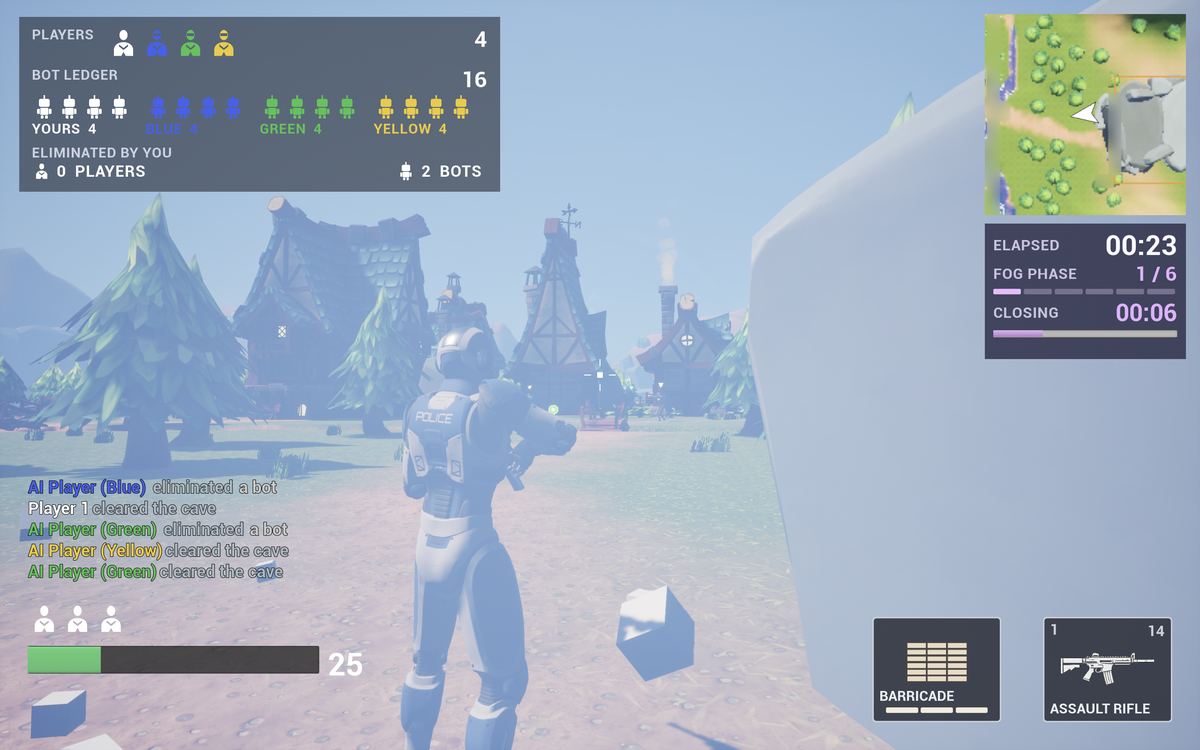
The full match: you and three AI rivals, each with their own bots, in a village where a deadly fog closes in.
- Everyone starts in a cave. Pick up your rifle, defeat the two cave bots, then shoot the rock door open.
- Every player has four village bots; yours are white. Finish off a rival and their surviving bots join your side. Bots whose player was taken out by a bot or the fog turn rogue (red) and attack everyone.
- You have three lives. Lose the last one and you're out.
- The fog closes in over six phases: each phase holds, then shrinks. Inside the fog you lose health quickly.
- Red health pickups restore 50 health and come back after 20 seconds. Every elimination also restores 20.
- When you're the last player standing, or the sixth phase arrives, the Final Assault begins: every bot turns on you, including your own. Clear them to win.
Building barricades
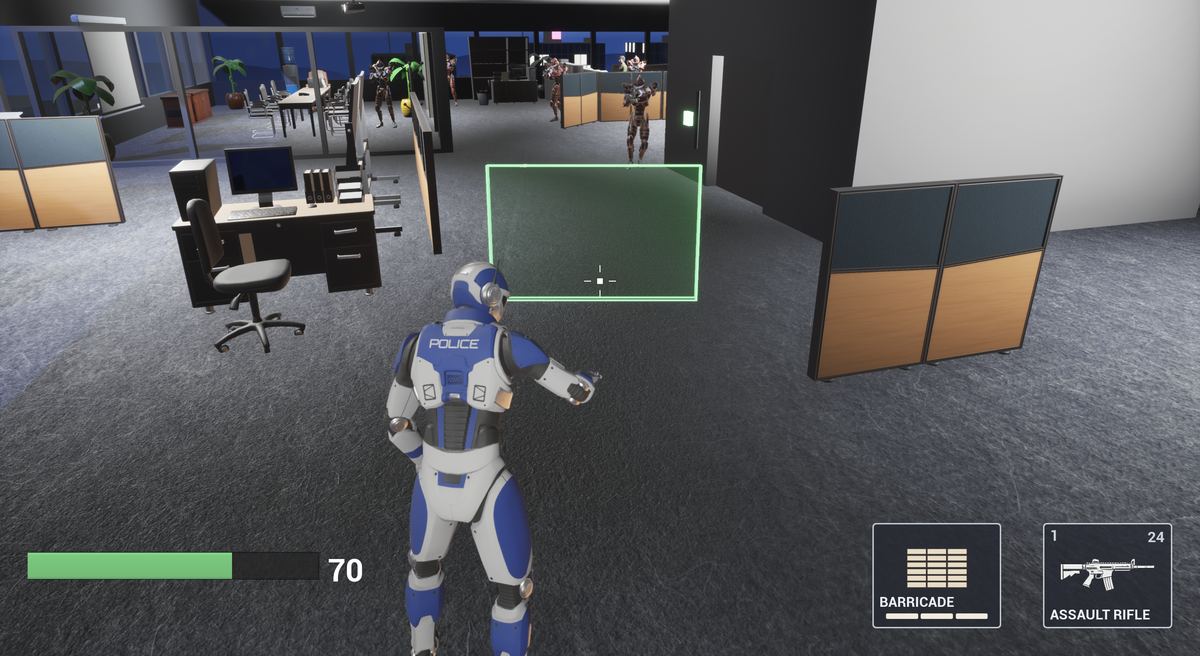
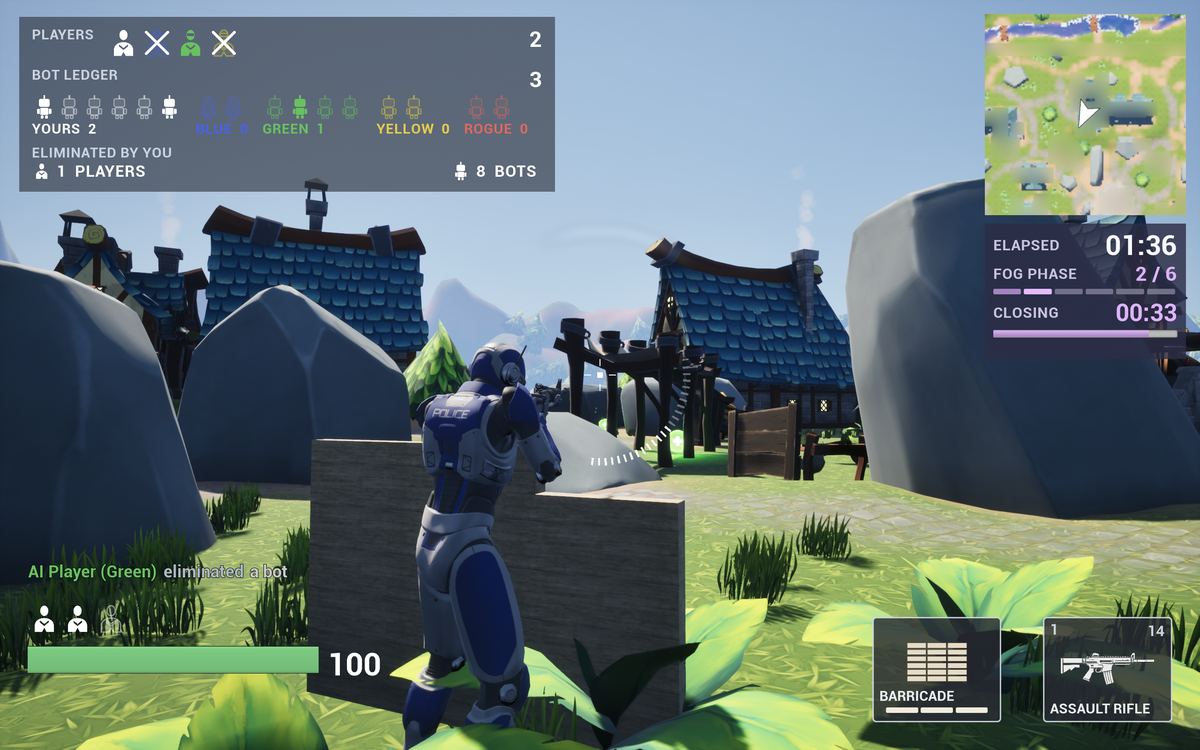
In Bot Village, High Rise and Village Siege you can put down a wooden barricade for cover.
- Press Y / △ or Q. A see-through barricade follows your aim. Your rifle is put away while you place it.
- When it's green, pull the right trigger (RT / R2) or click to place it. When it's red, that spot won't work: it needs flat ground at about your own level.
- Press Y / △ or Q again to cancel without using a charge.
- The barricade faces the way you're facing.
- You have three charges, and get one back every 5 seconds. The barricade slot at the bottom right shows the charges and the recharge bar.
- A barricade hides you completely when you crouch behind it, and covers you up to the chest when you stand.
- Barricades can be shot apart plank by plank, and bots that saw you duck behind one may shoot through it. Your own shots that hit a barricade count as misses.
The screen
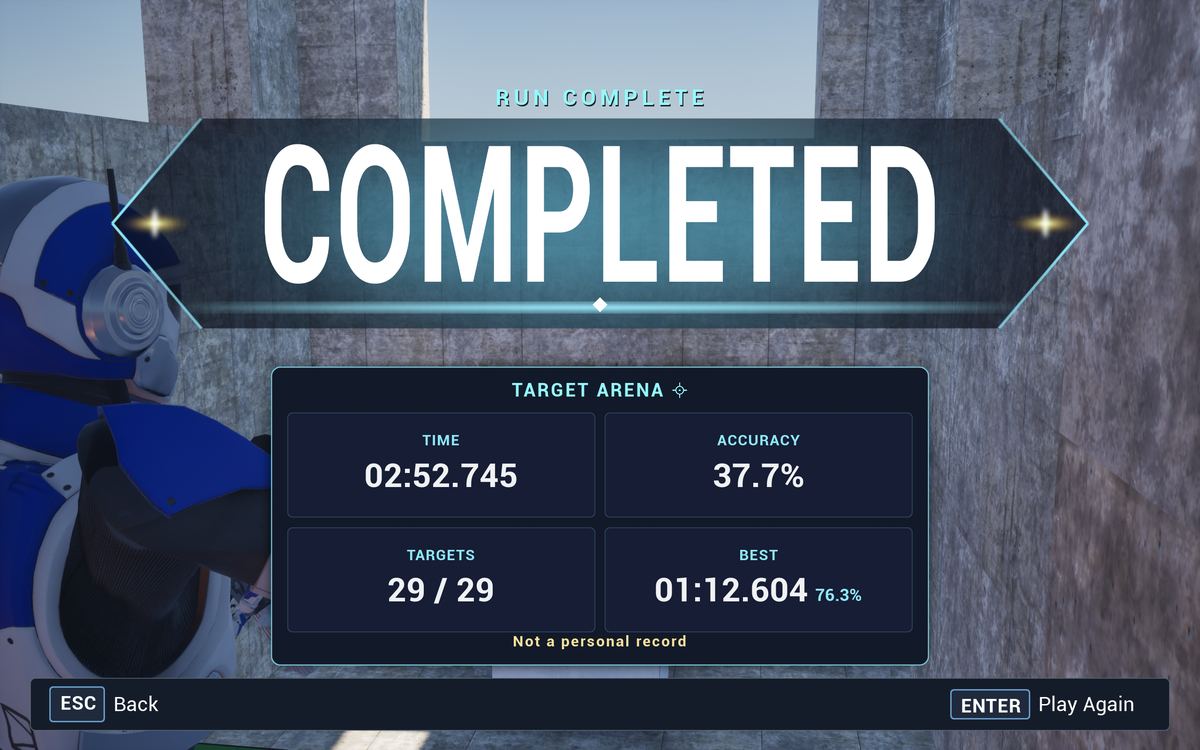
- Target modes: your time (with your best underneath), targets cleared, and accuracy.
- Bot Village: time left, bots eliminated (with your best), and accuracy.
- High Rise: your time, enemies cleared, hostages hit (out of 3), floors cleared, and accuracy.
- Every mode: the crosshair, with an arc beside it showing the rounds left in your magazine, and your health at the bottom left.
- Bot Village, High Rise and Village Siege: your rifle's ammo and the barricade slot at the bottom right.
- Village Siege: the players still in the match and who owns which bots (top left); a minimap (top right); the fog panel under it, with the time, the fog phase out of 6, and whether the fog is holding or closing; your lives above the health bar; and a feed of what's happening at the bottom left. Arcs around the crosshair point towards nearby gunfire and movement.
Records and leaderboards
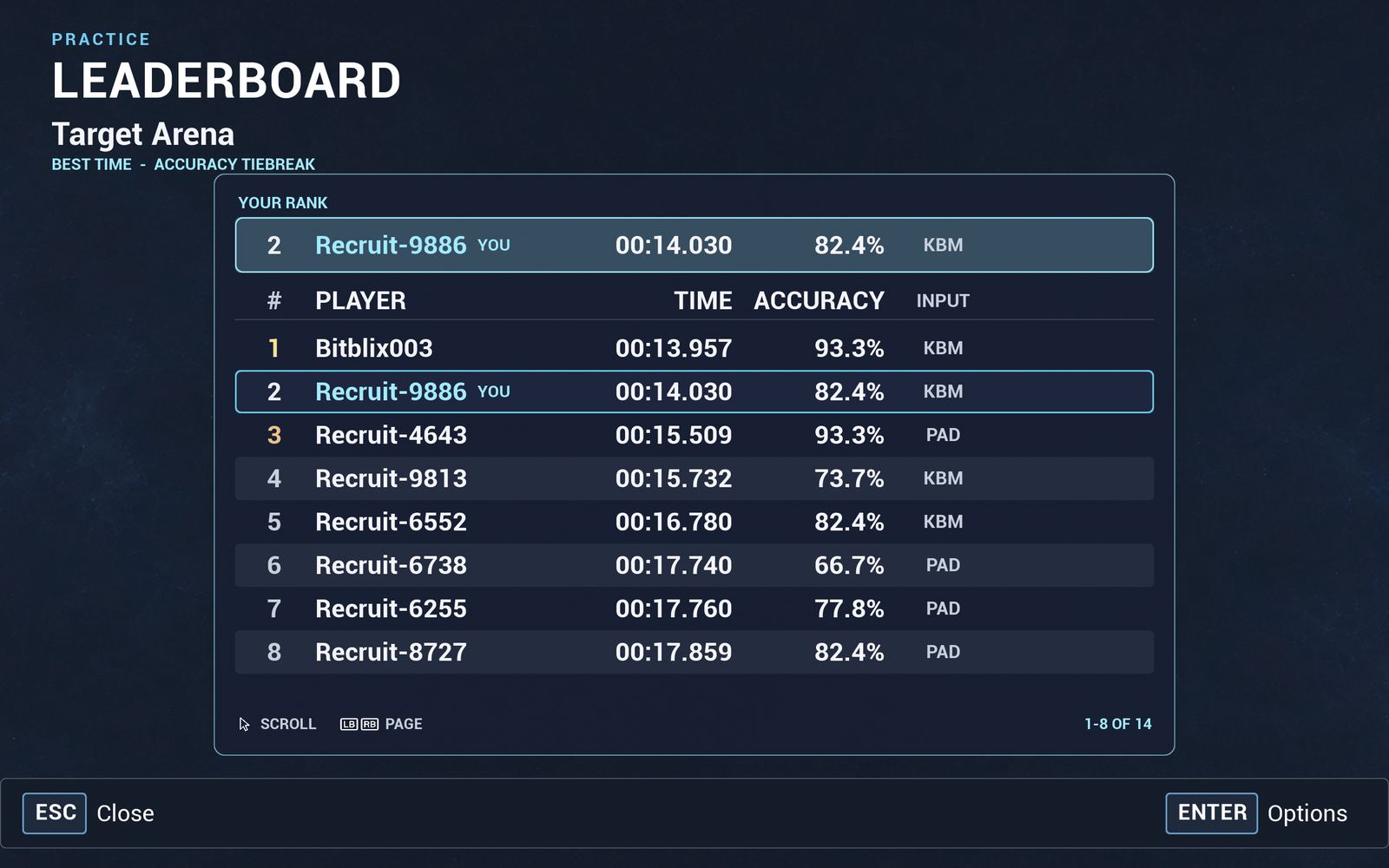
- Target Arena, Target Adventure and High Rise: a faster time wins, and accuracy settles a tie. In High Rise your time includes the hostage seconds.
- Bot Village: most bots wins, and accuracy settles a tie.
- Only finished runs count: a failed run never replaces your record. The map selection shows your best for each map, and the results screen tells you when you set a new record.
- Each of these four modes has an online leaderboard. Press Y / △ or T on the map selection to see it; your own rank is pinned at the top. Village Siege has no leaderboard.
- Scores reach the leaderboards only when you're online and Settings › Online › Upload My Scores is on.
Settings
- Video: resolution scale, shadow quality, global illumination, effects quality, and an on-screen frame counter.
- Audio: music and sound effects volume.
- Controls: button icons (Xbox or PlayStation style, to match your controller), mouse sensitivity and controller sensitivity.
- Online: Upload My Scores, sign up, sign in and sign out, change your gamertag, unblock all players, and delete your account.
Still stuck? See the Battle Range support page.