Overplay icon

Overplay

Video overlay for game footage

Float a reference video over anything on your Mac — a game, an editor, a design — so you can compare them directly. Fade it until you can see through it, keep it on top, and let clicks pass straight through to the app underneath.

Coming soon to the Mac App Store Get Support

For Mac · macOS 14 Sonoma or later · Apple silicon and Intel
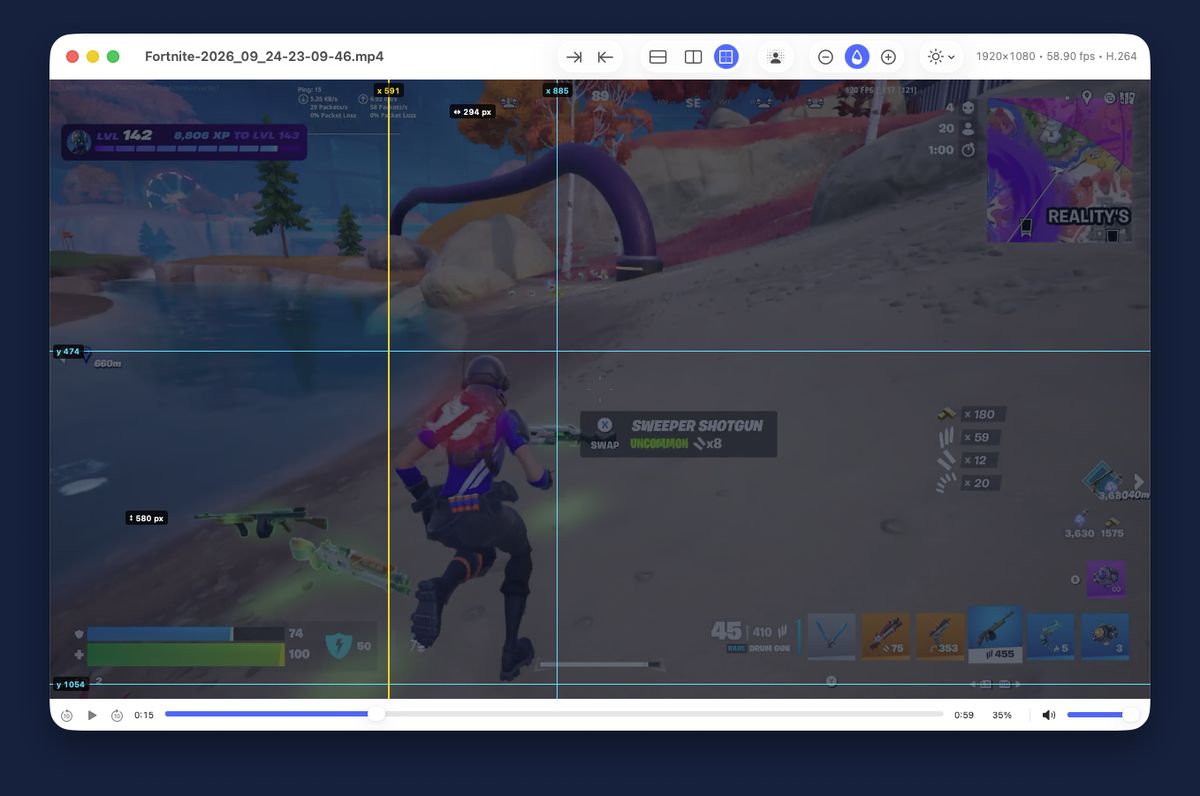
Overplay showing a translucent video with guides, floating over another window

See Overplay in Action

Drop in a clip, then line it up frame by frame and pixel by pixel

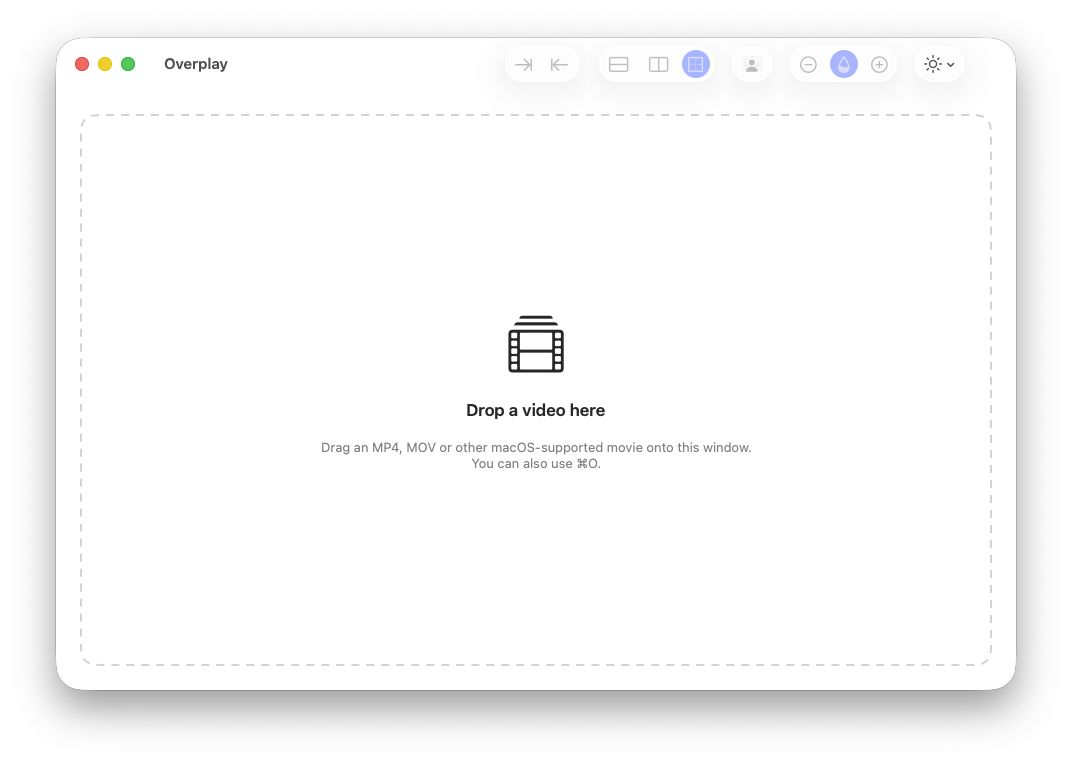
The Overplay window waiting for a video to be dropped onto it
Drop in any videoMP4, MOV and anything else macOS can play. Or press ⌘O.
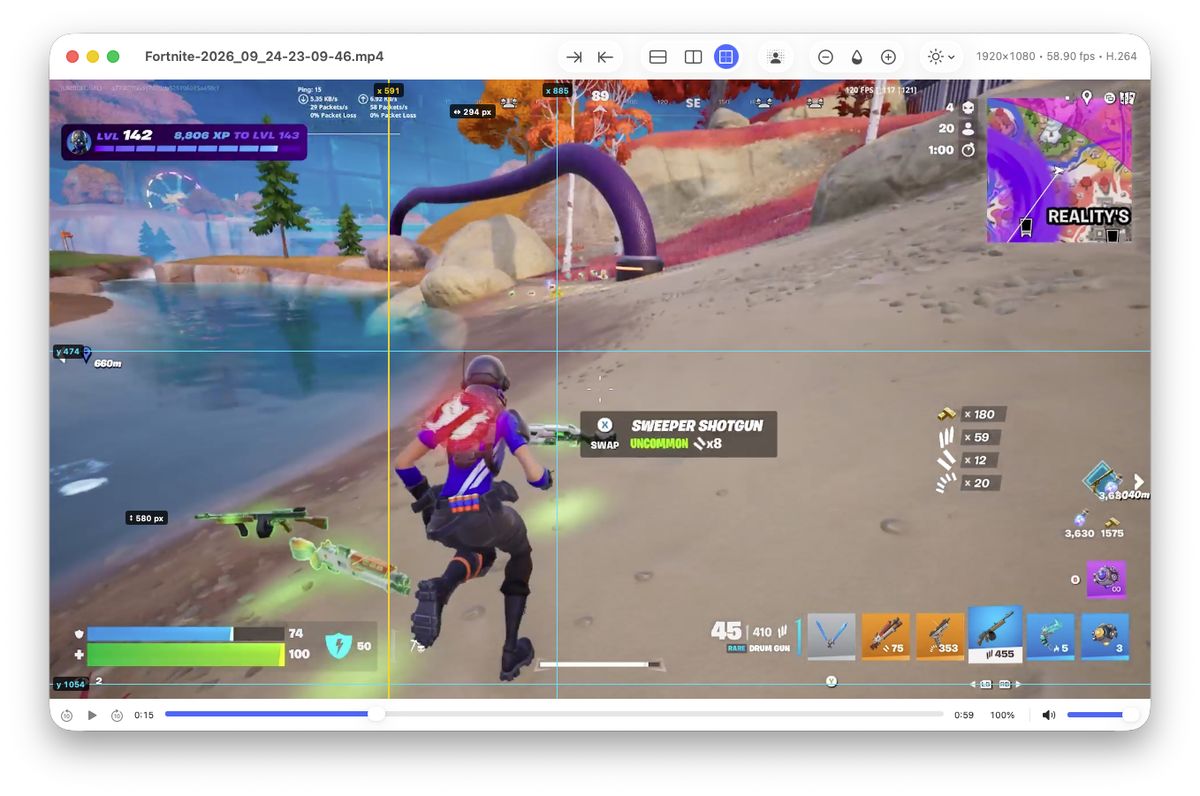
Horizontal and vertical guides over a video, labelled with pixel positions and distances
Line things up to the pixelGuides show positions and distances in video pixels.
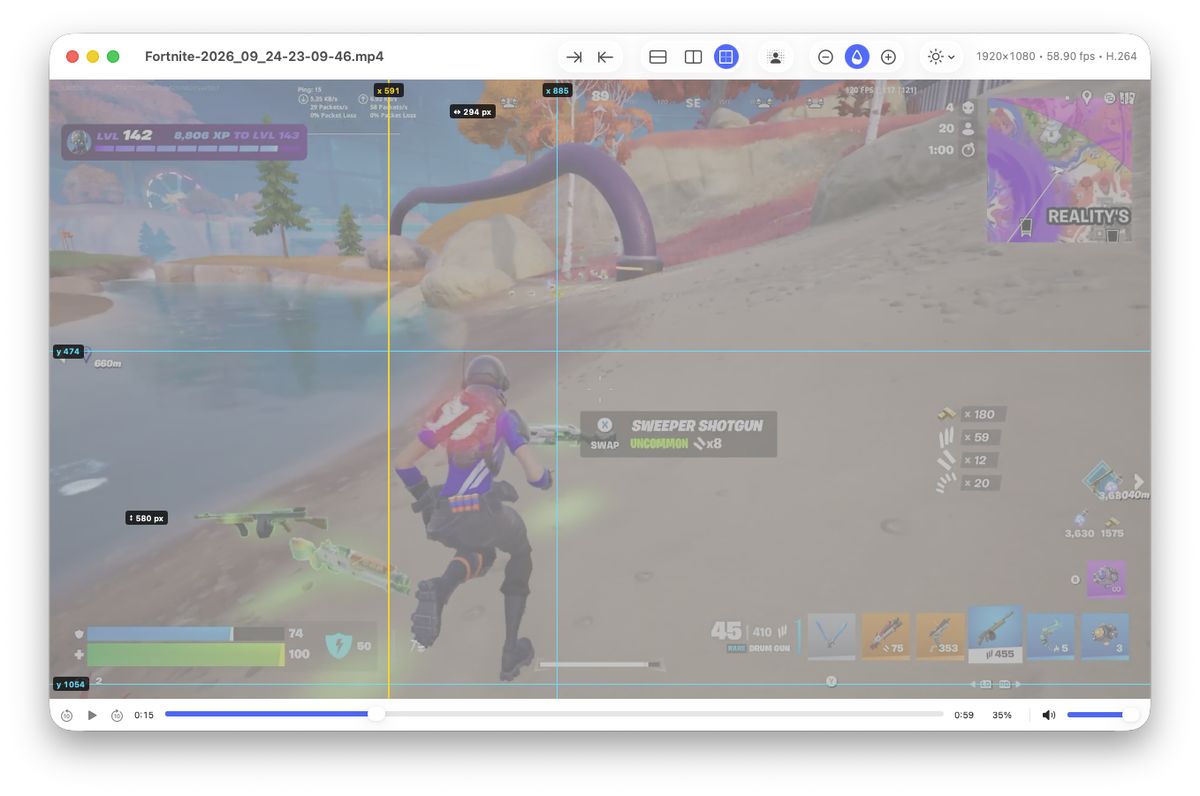
The video faded to partial opacity
Fade to see throughAdjust opacity from the toolbar or the keyboard.
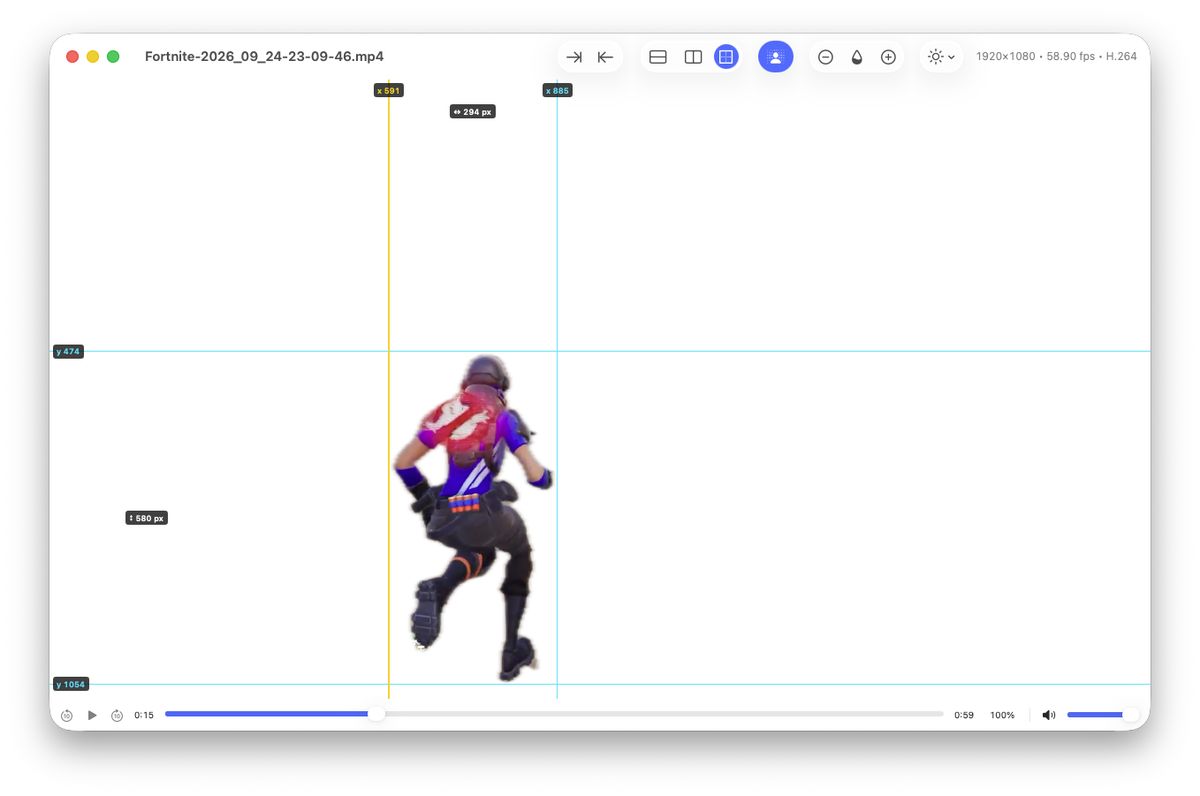
Only a single character shown, with the rest of the video transparent
Isolate a subject with one clickOnly the chosen person or character is drawn over your work.

Everything You Need to Compare

Built natively for macOS, with keyboard shortcuts for everything

🪟

Overlay

  • Adjustable opacity with quick keyboard control
  • Always on top, and click-through so the window never gets in the way
  • The window keeps your video's exact shape
🎞️

Frame-Accurate Playback

  • Step one real frame at a time, including variable frame rate recordings
  • Scrub with live thumbnails
  • Tabs for several reference clips, one playing at a time
⏱️

Markers

  • Set In and Out points to measure a section in time and frames
  • See real and dropped frames in captured footage
  • The section loops while you study it
📐

Guides

  • Horizontal and vertical guides placed in video pixels
  • Distances between guides shown in pixels
  • Nudge, centre and move guides precisely
👤

Subject Isolation

  • Click a person, character or animal to show only that subject
  • The subject is followed as the video plays
  • Fade the subject to line it up over what's underneath
🔒

Private by Design

  • Your videos never leave your Mac
  • No accounts, no ads, no tracking
  • Anonymous usage statistics you can turn off in Settings

Requirements

macOS 14 Sonoma or later, on a Mac with Apple silicon or an Intel processor.

Privacy Policy · Terms of Use · Support

Coming Soon to the Mac App Store

Overplay is on its way. Check back soon, or get in touch if you'd like to know when it's available.

Coming Soon

Need help? Visit Support →